


















Preparing logo artwork and colours for cable hooks
Preparing logo artwork for cable hooks starts with a defined product model, a colour reference and a saved layout. Check the file, contrast and logo position together before production approval. Keep the agreed artwork as a reference for later orders.
Start with the model
Choose the profile, size and standard finish before opening the custom options. The cable hook selection guide explains the measurements to check. Logo space changes with the hook shape, so a layout for one model should not be assumed to fit another. Check the drawing and the practical application first, then decide how the branding should sit on the selected surface.
Specify the colour
Give the RAL code you want us to review. Screen colours and photographs are approximate; they do not define the finished paint colour. If matching existing equipment is important, describe the reference and agree how the colour will be confirmed. Record that decision alongside the model and order details.
Prepare a usable logo file
The on-page preview accepts PNG, JPG or WebP files up to 5 MB. A transparent PNG makes placement easier to see. Keep the original vector artwork for production preparation. Check spelling, logo version and proportions before upload; enlarging a small image does not create the missing detail.
Review the placement
Rotate the hook in the preview, position the logo and save the layout. Review it at a useful scale rather than judging only a small thumbnail. The preview communicates your request; final artwork, print size, positioning and any additional charge are agreed in the quotation before production. For a different size or shape, see the custom cable hook options.
Keep a reference for repeat orders
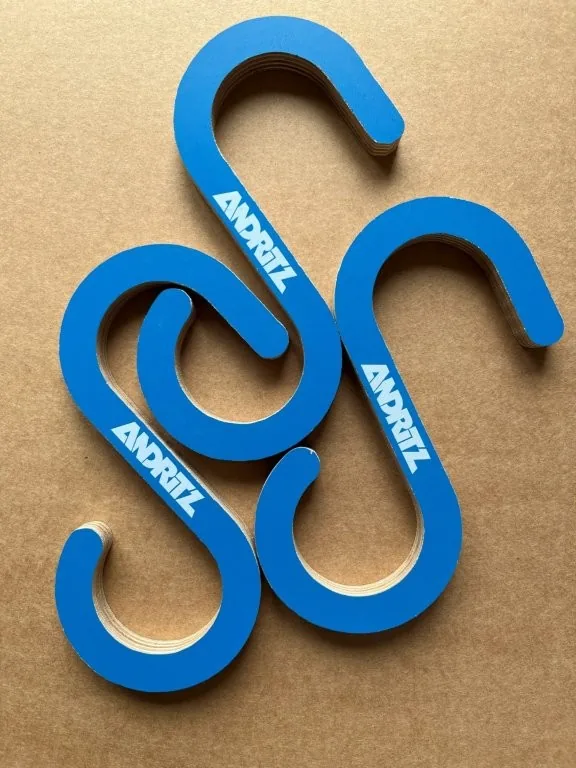
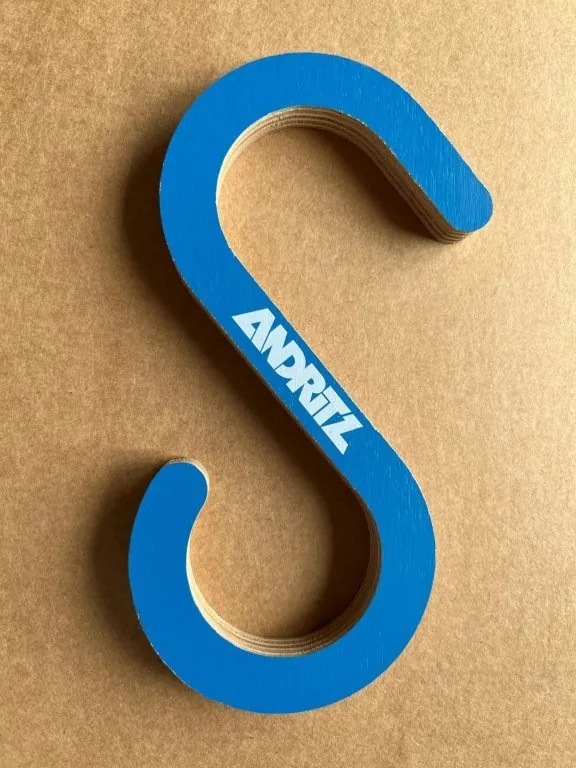
ANDRITZ is a real example: blue S-hooks with a white company logo, an initial purchase of 2,000 hooks and several subsequent orders. For your own repeat order, include the earlier reference and the new quantities. The current specification and artwork are checked again before confirmation.